
← All guides
Take Away
Order in the app, drop by the shop and pick up your order ready — with -20% on every order.
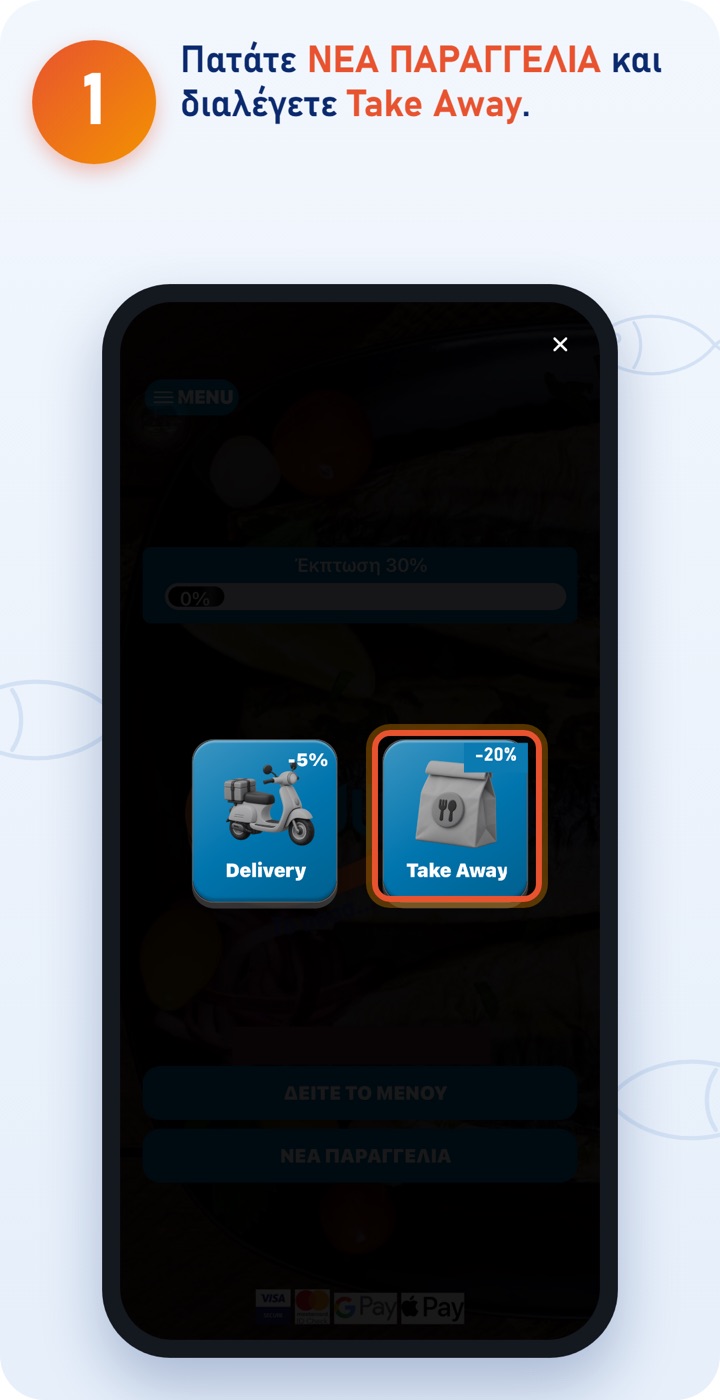
The -20% Take Away discount is applied automatically to every online order. (Discounts don't add up: one discount or offer applies per order.) 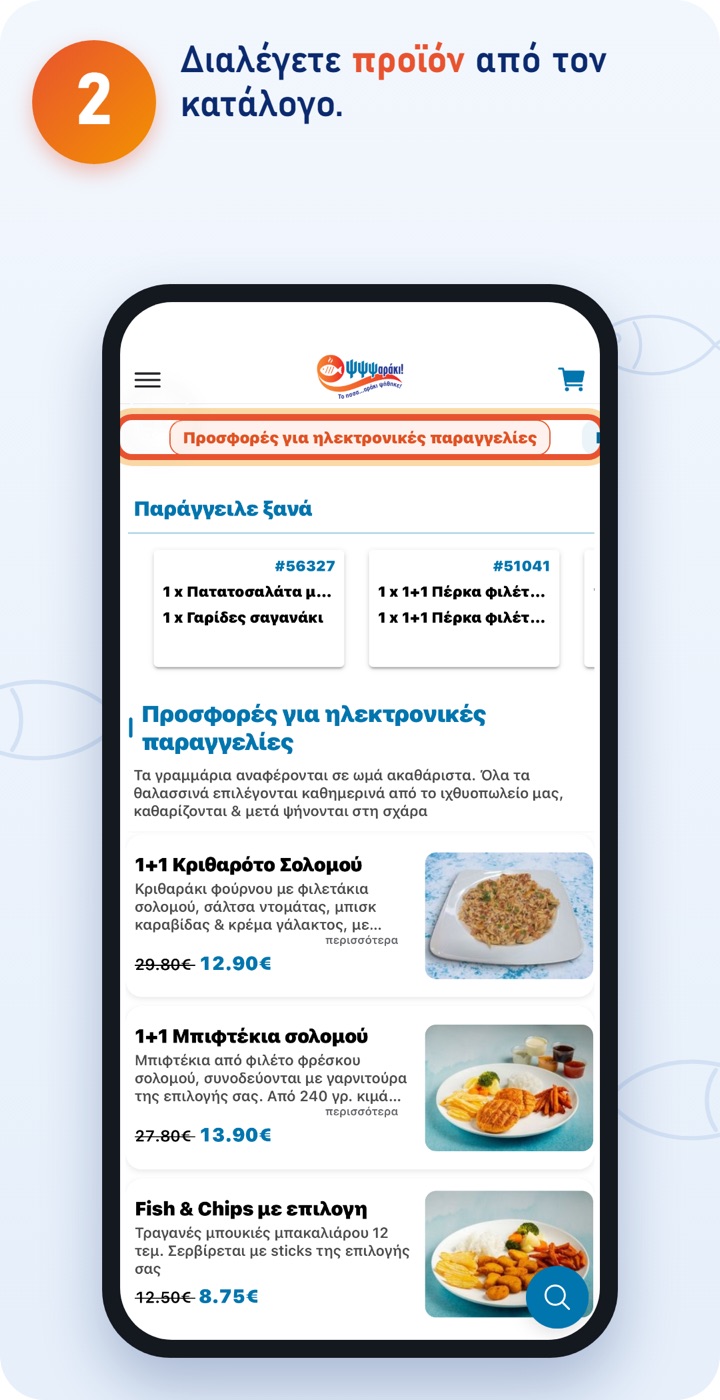
At the top you switch category. Under «Order again» you quickly find what you've ordered before. 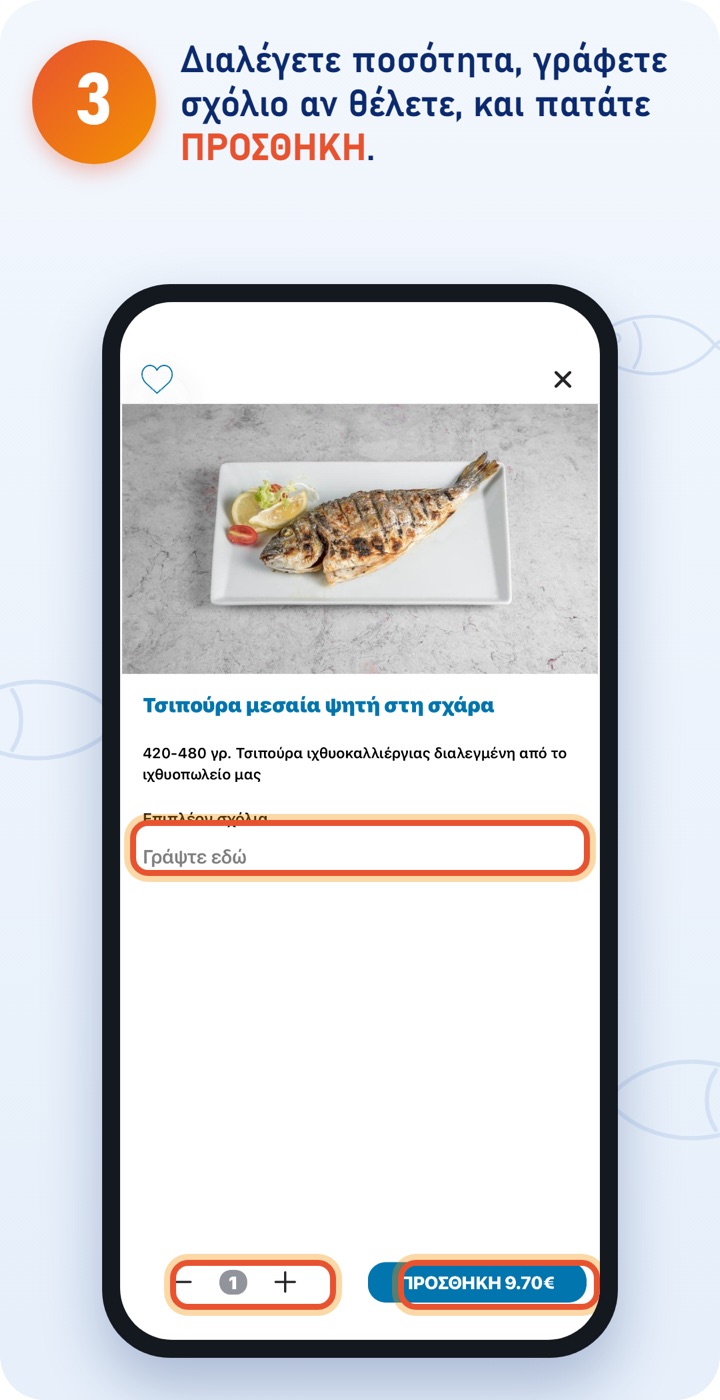
Carry on the same way until all the products you want are in the basket. 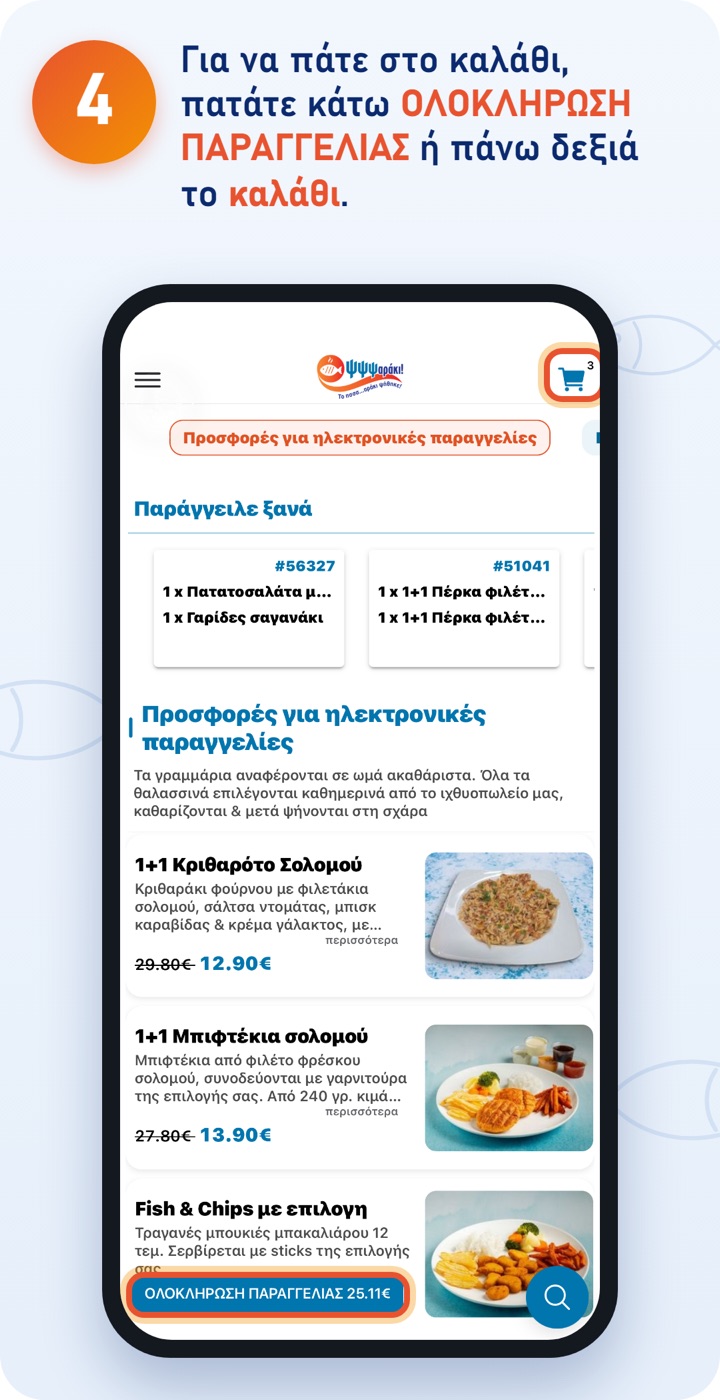
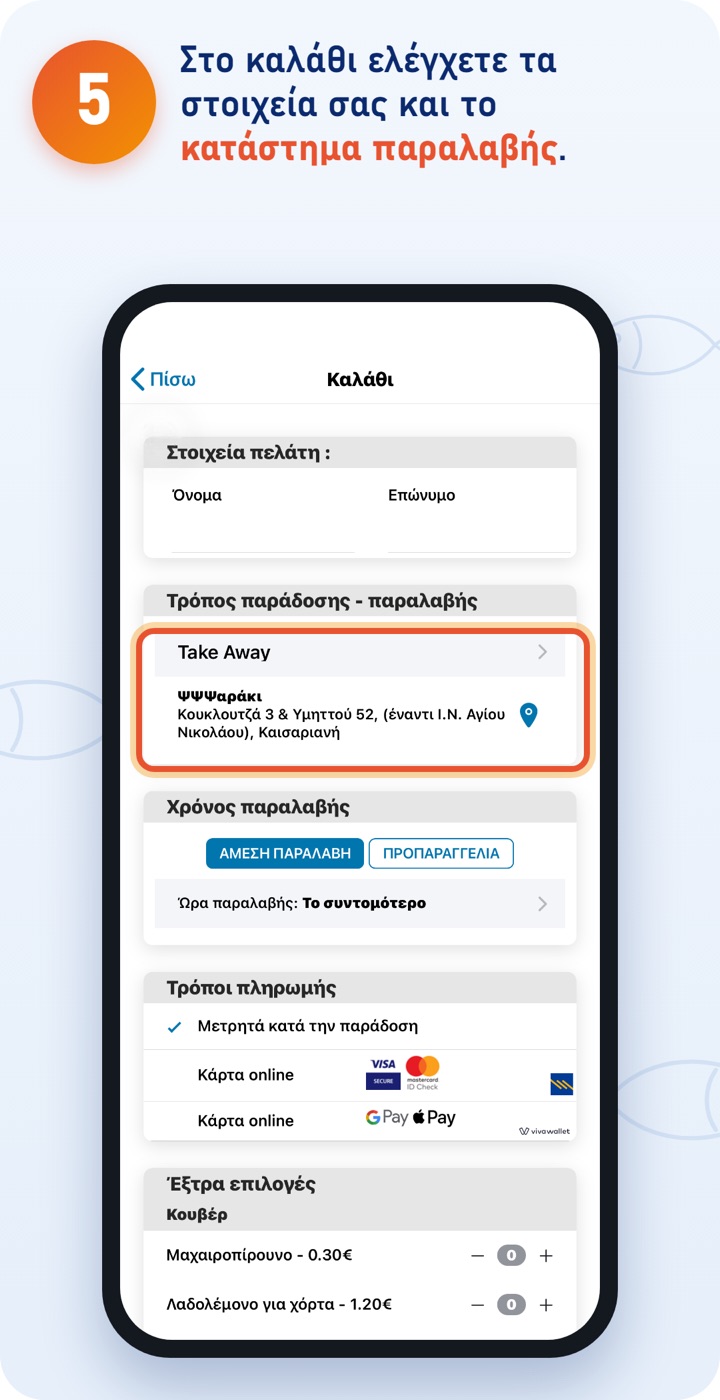
You collect from the shop: Koukloutza 3 & Ymittou 52, Kaisariani (opposite the Church of Agios Nikolaos). 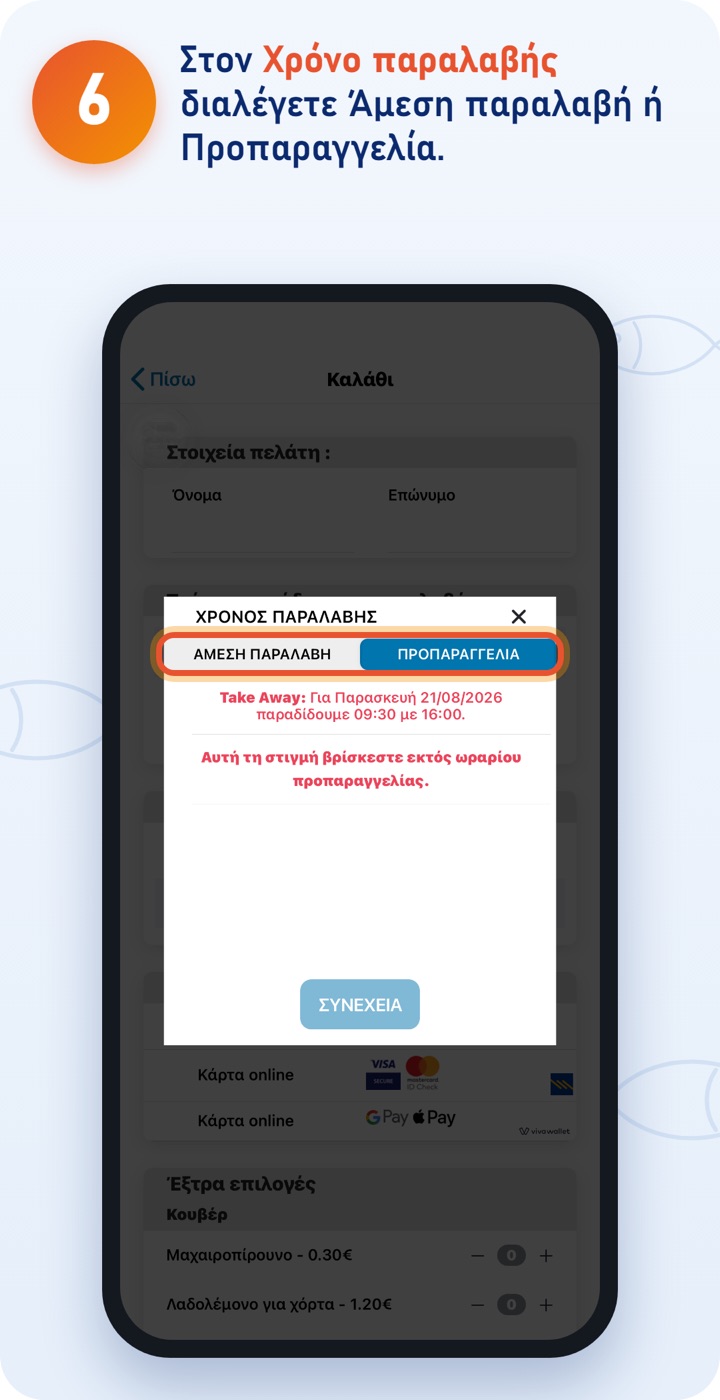
With Immediate pick-up your order is prepared as soon as possible. With Pre-order you choose a time; the app shows you the times we serve that day. 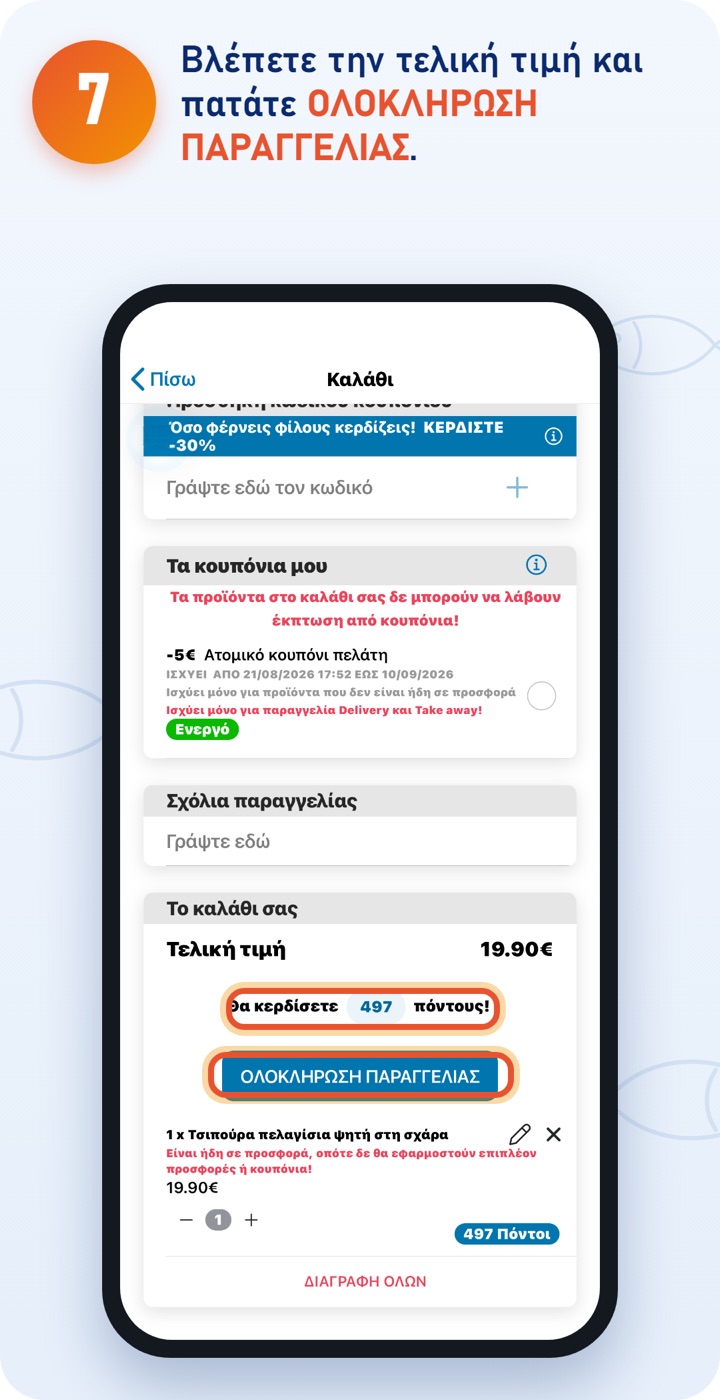
Before that you can add a coupon (see «Coupons») and write comments for the order. Below the price you see how many points you'll earn. For payment, see «Payment».
The ΨΨΨαράκι app
Download the app and order quickly and easily. You can also order at order.psssaraki.gr.