
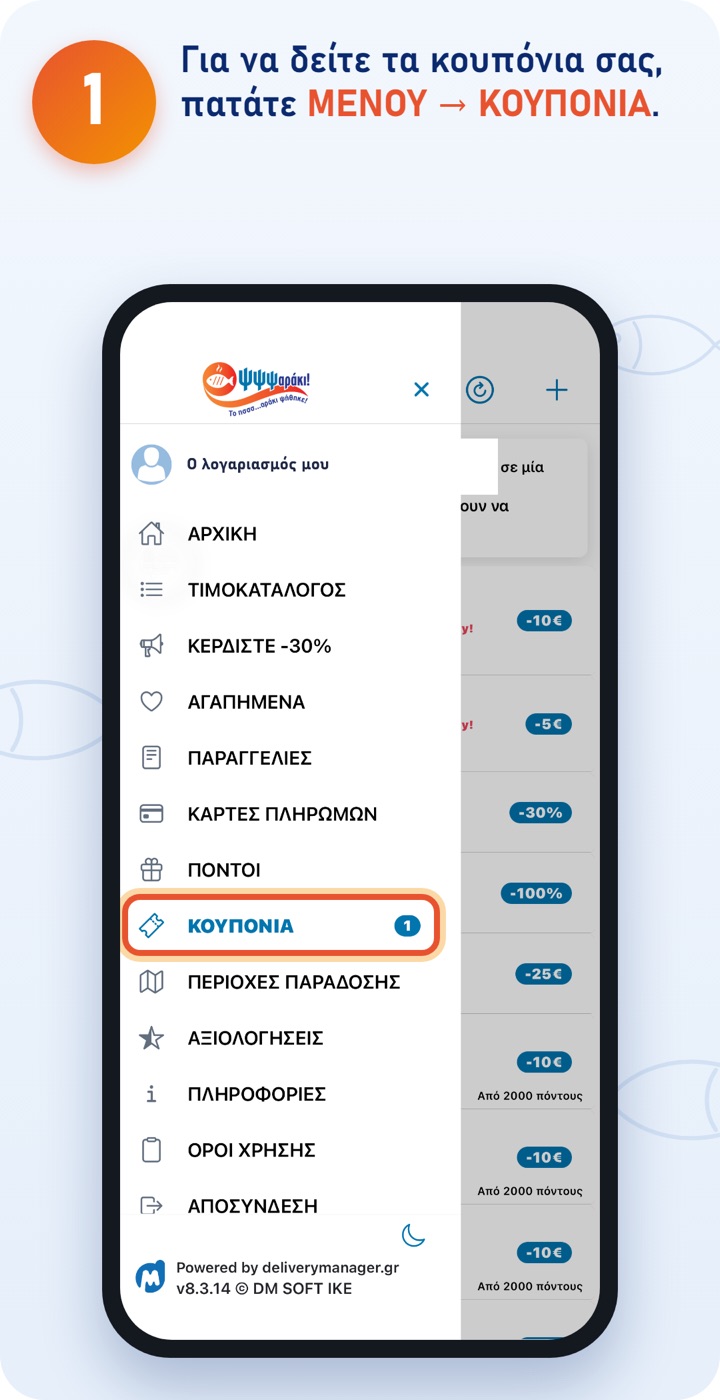
The number next to it shows how many active coupons you have. 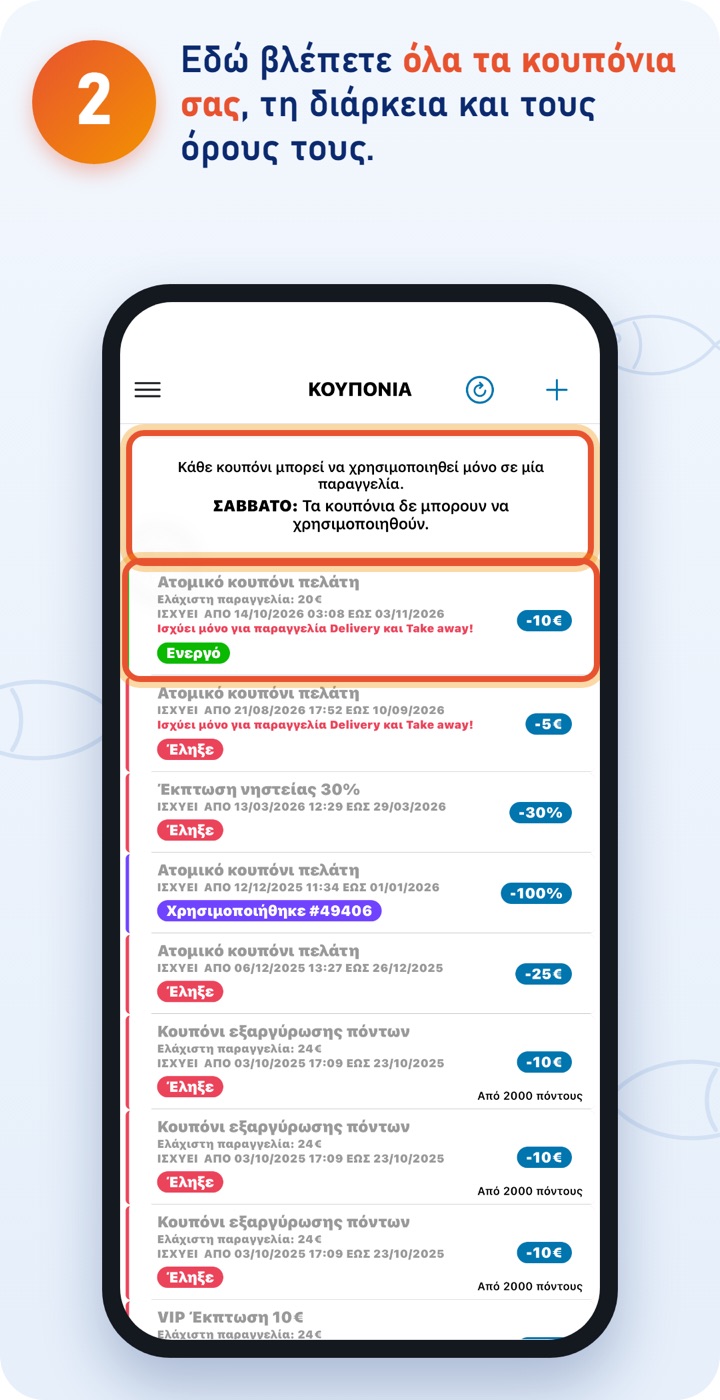
«Active»: you can use it. «Expired»: its date has passed. «Used»: it's already been applied to an order. 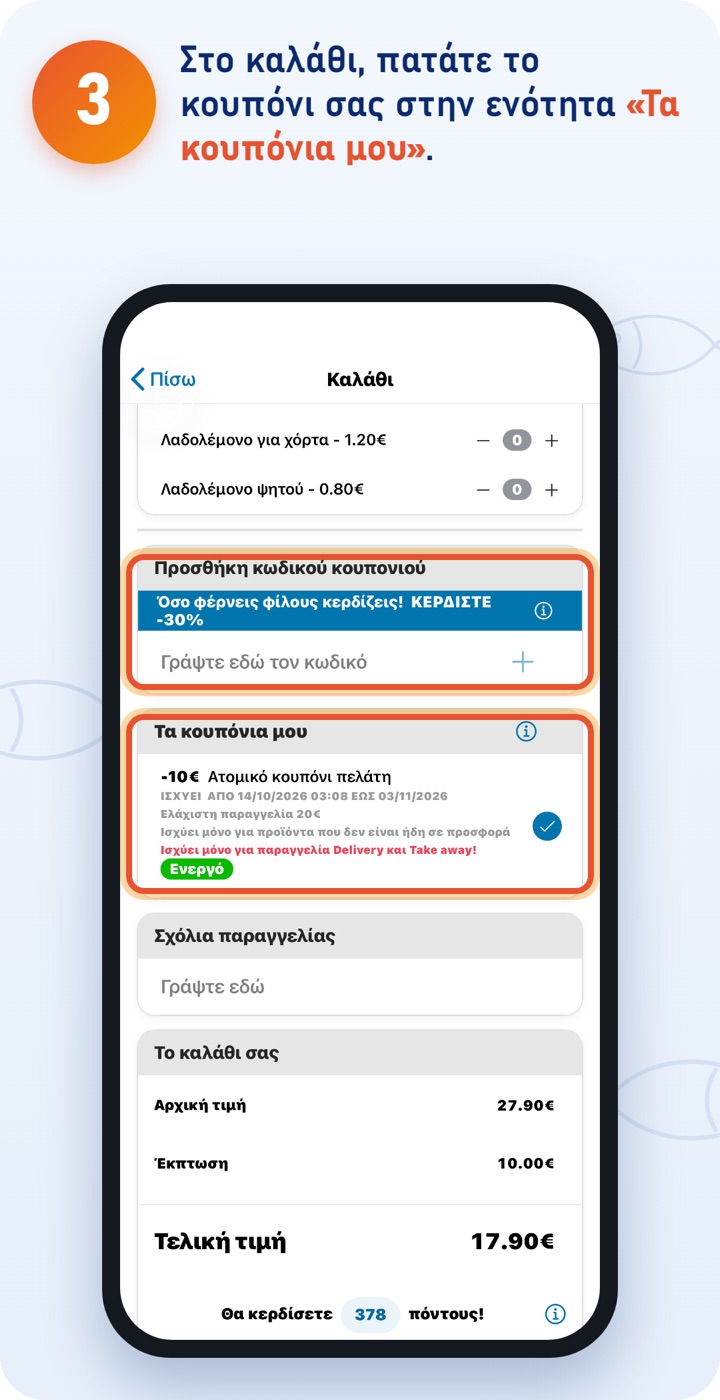
The discount is taken off the final price straight away. If you have a coupon code, enter it in «Add coupon code» and tap +. 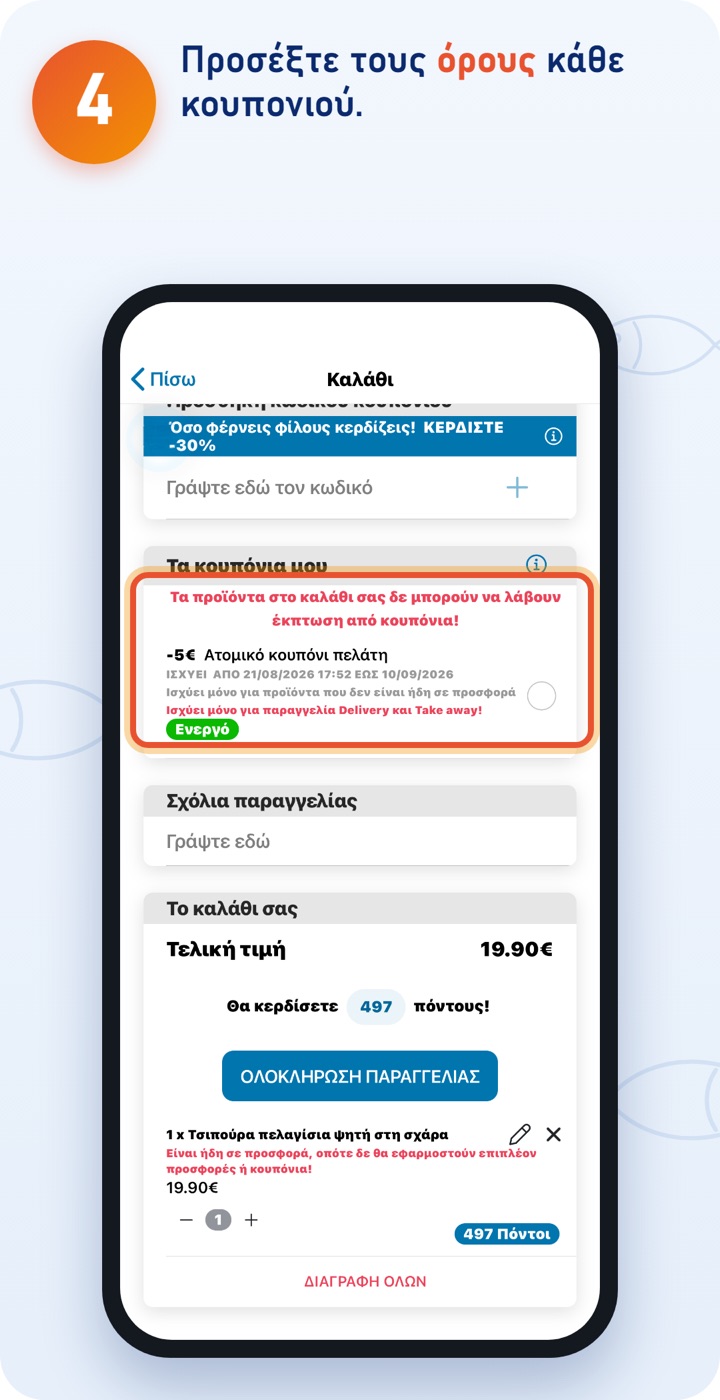
All coupons have an expiry date. Use the one that expires first. Check the minimum order. Coupons don't apply to products that are already on offer.
Good to know
- Only one coupon can be used per order; offers don't add up.
- Coupons can't be used on Saturdays and on special days.
- For delivery, coupons have a minimum order; the app shows it to you in the basket.
The ΨΨΨαράκι app
Download the app and order quickly and easily. You can also order at order.psssaraki.gr.