215 50 12345
← All guides

My account

Change your details, your addresses and the notifications you receive.

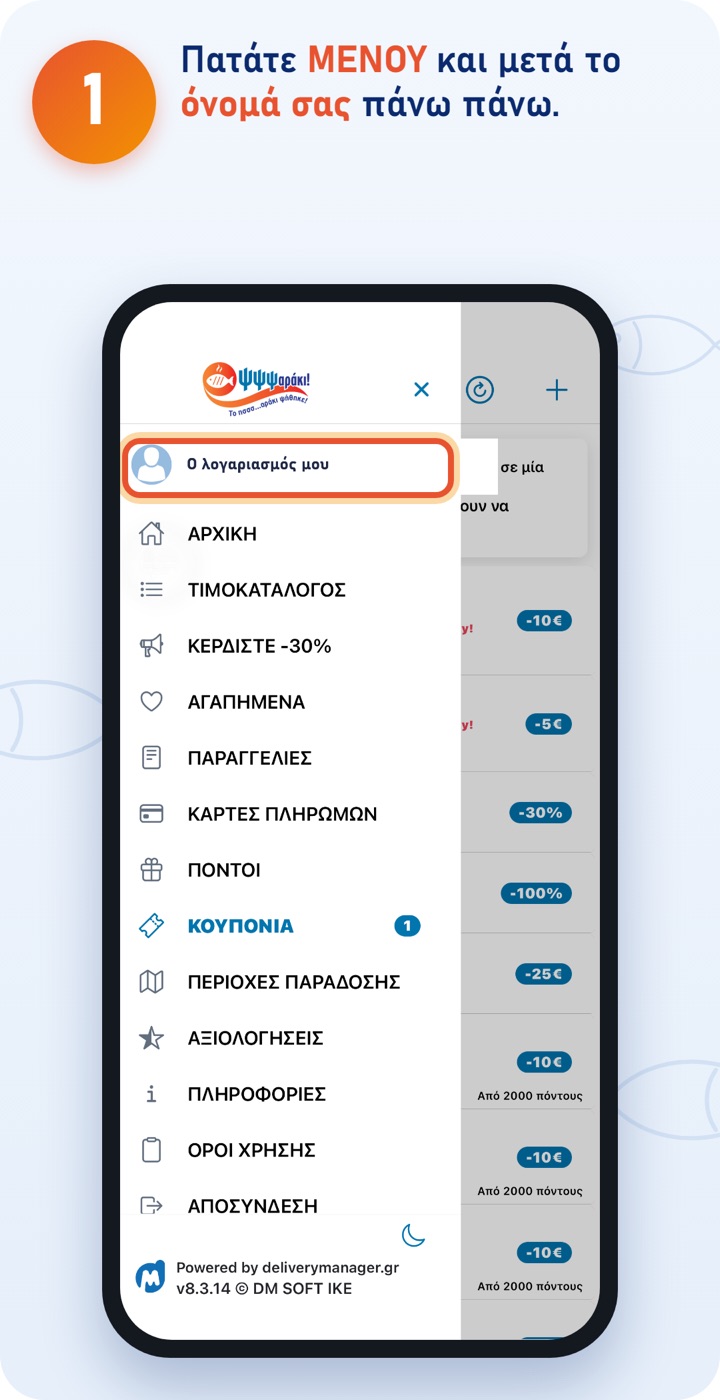
  1. 1. Tap MENU and then your name at the top.
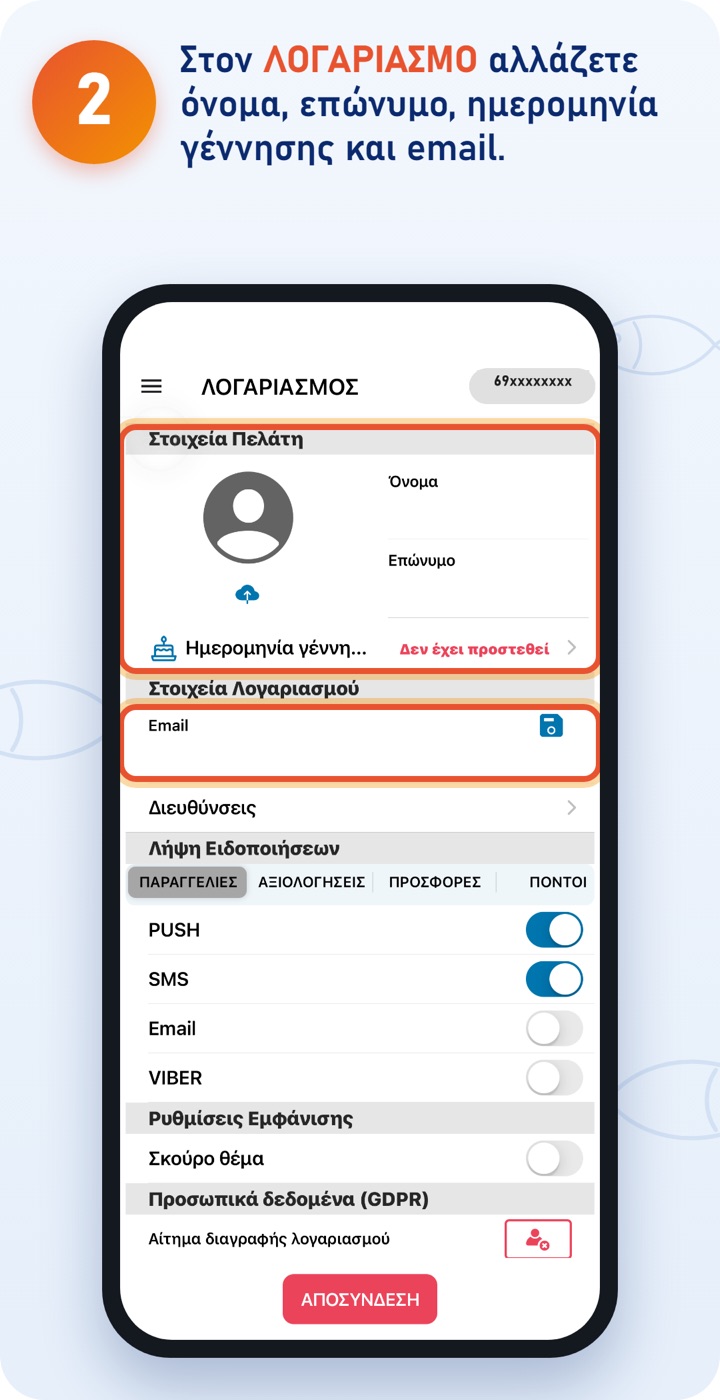
  2. 2. Under ACCOUNT you change first name, last name, date of birth and email.
    Changes are saved with the save icon next to the email.
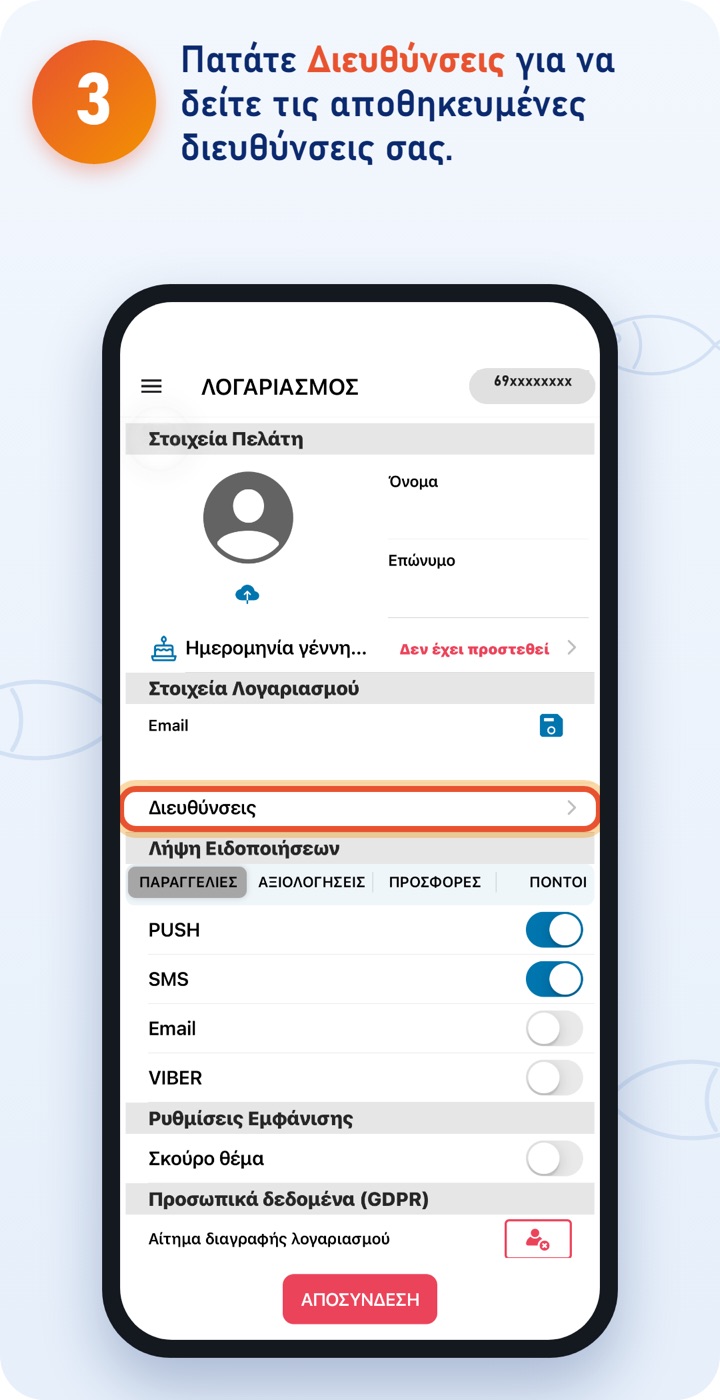
  3. 3. Tap Addresses to see your saved addresses.
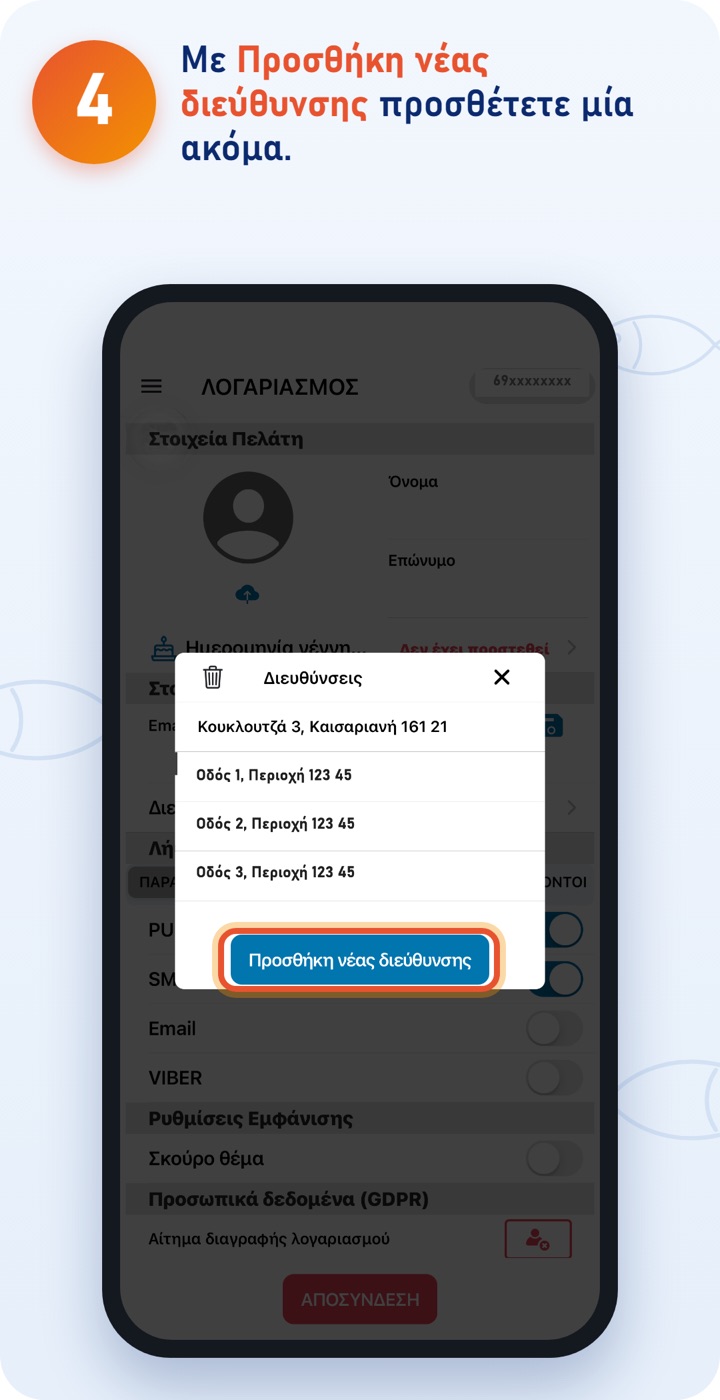
  4. 4. With Add new address you add another one.
    The app guides you as in Delivery: find the spot on the map and fill in street, number and postcode.
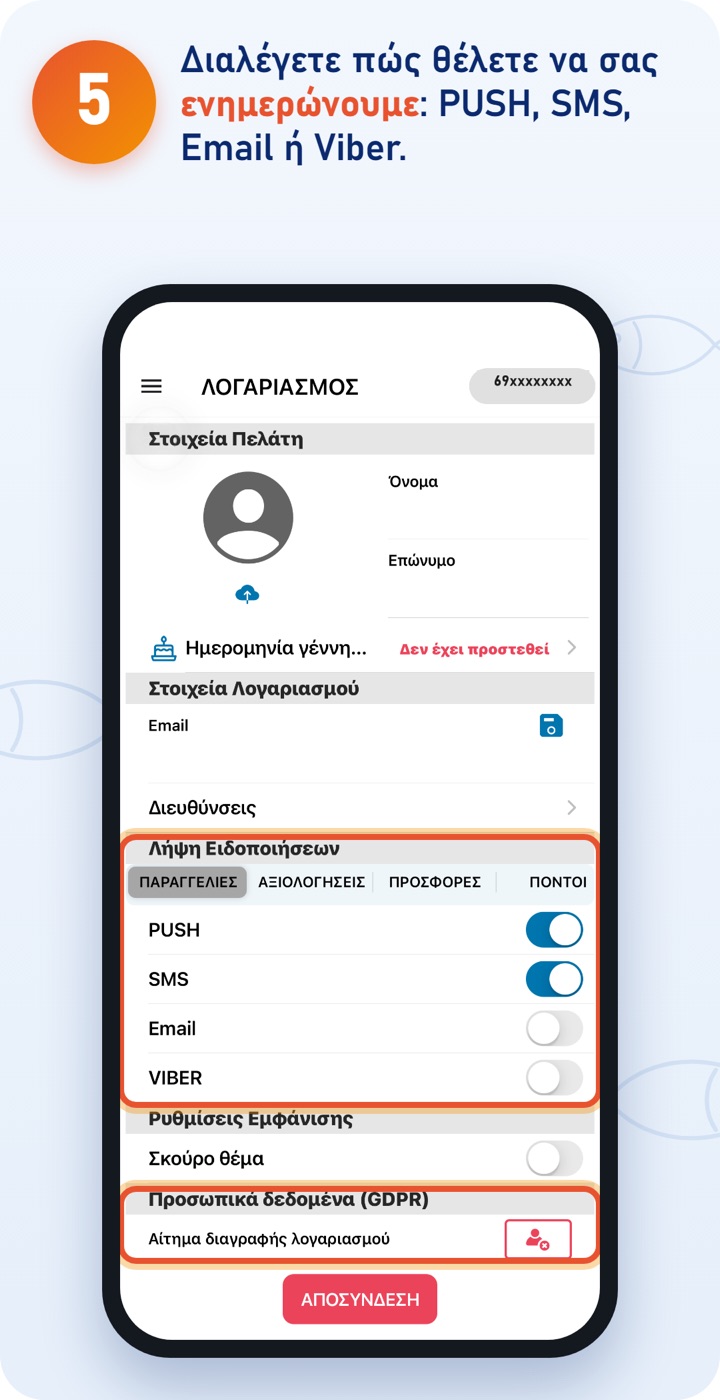
  5. 5. Choose how you want us to keep you informed: PUSH, SMS, Email or Viber.
    Further down, under «Personal data», you can request the deletion of your account.

The ΨΨΨαράκι app

Download the app and order quickly and easily. You can also order at order.psssaraki.gr.