
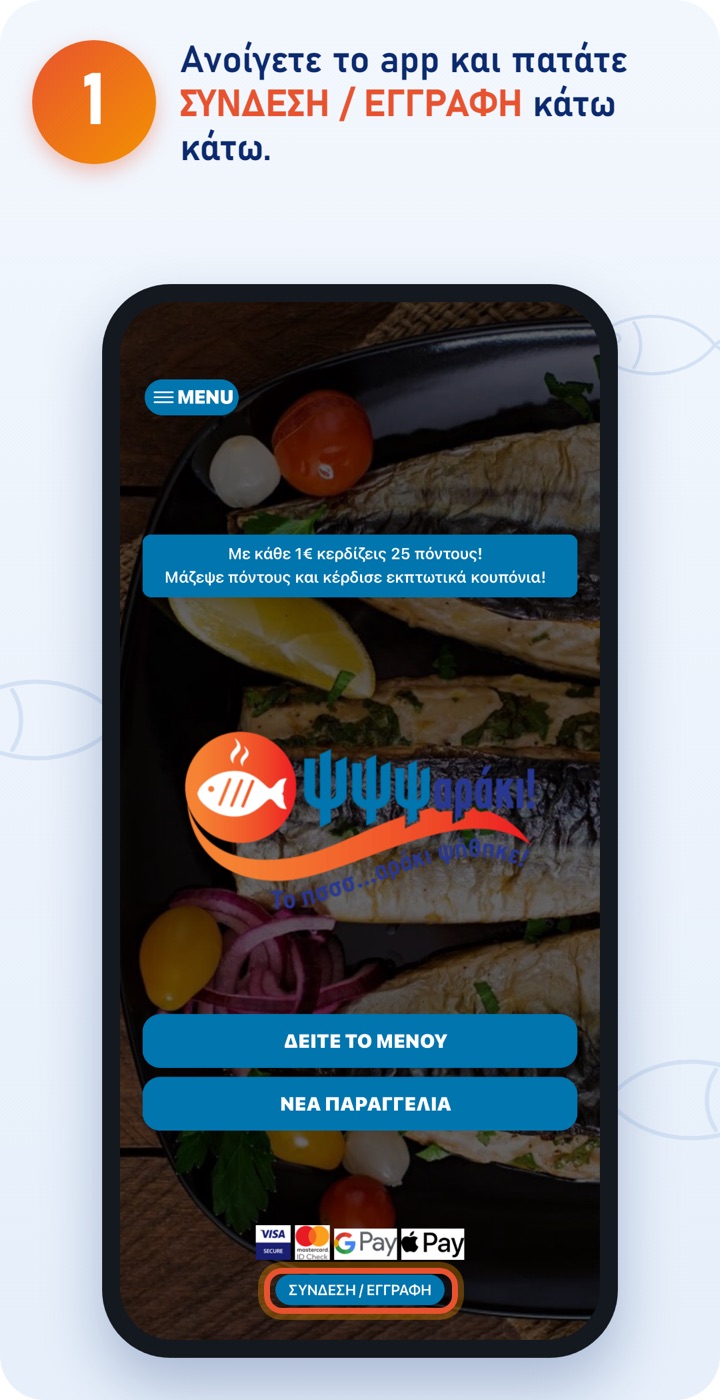
If you don't have the app yet, you'll find it as «ΨΨΨαράκι» on the App Store and Google Play. You can also order from the website, at order.psssaraki.gr. 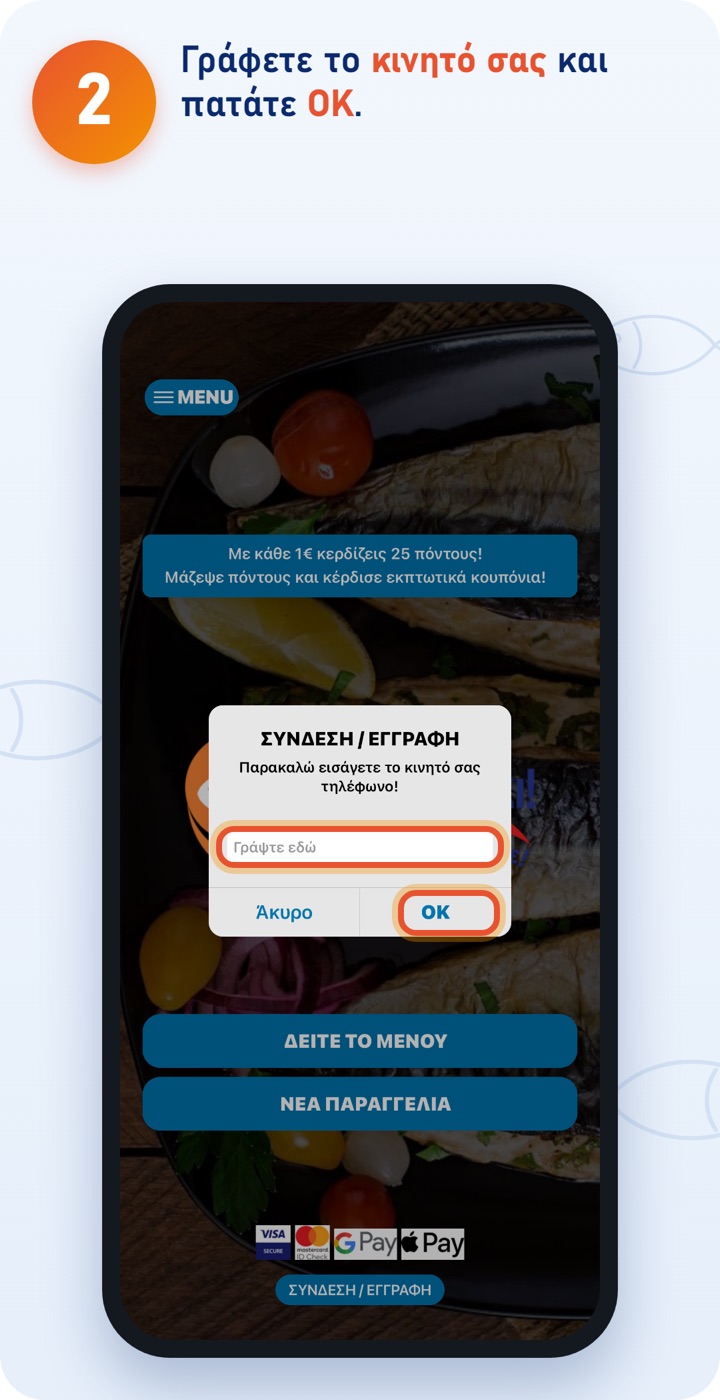
Your account is linked to your mobile number. 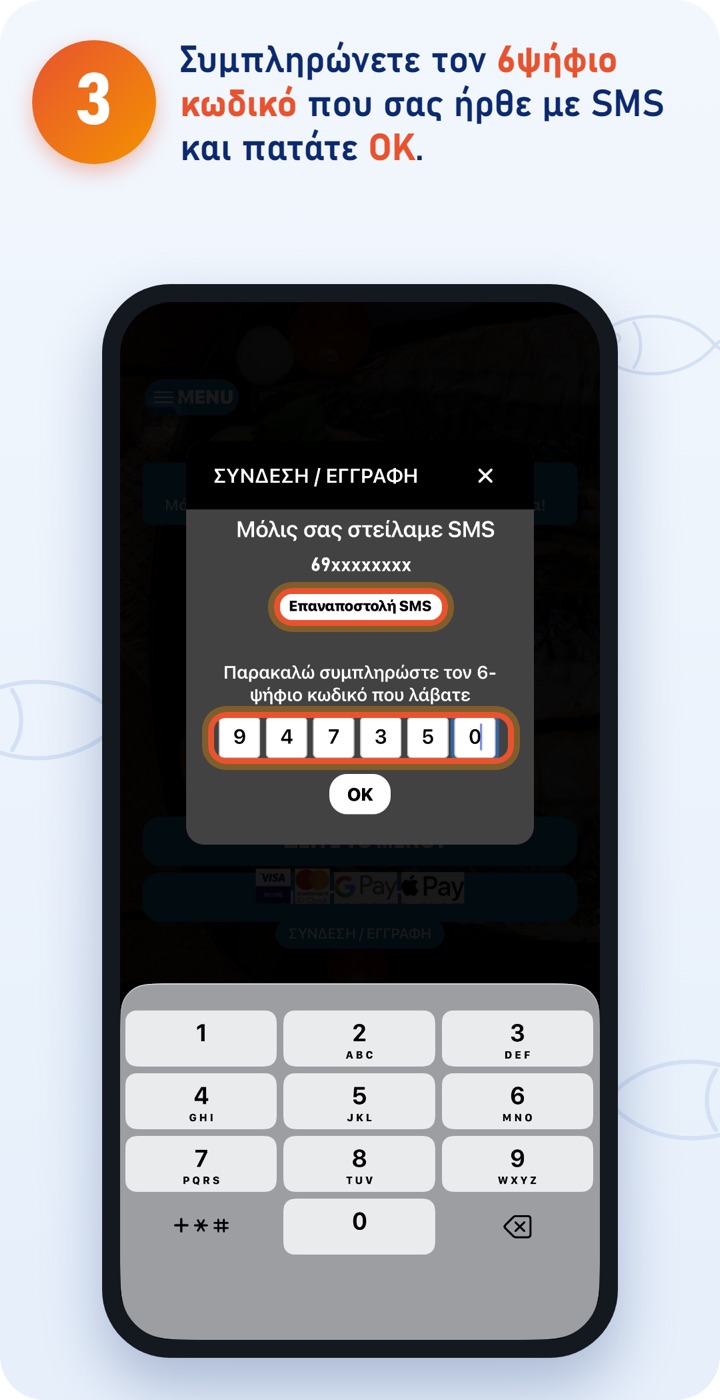
If the SMS doesn't arrive within a minute, tap «Resend SMS». Don't tap it repeatedly: sending gets blocked. 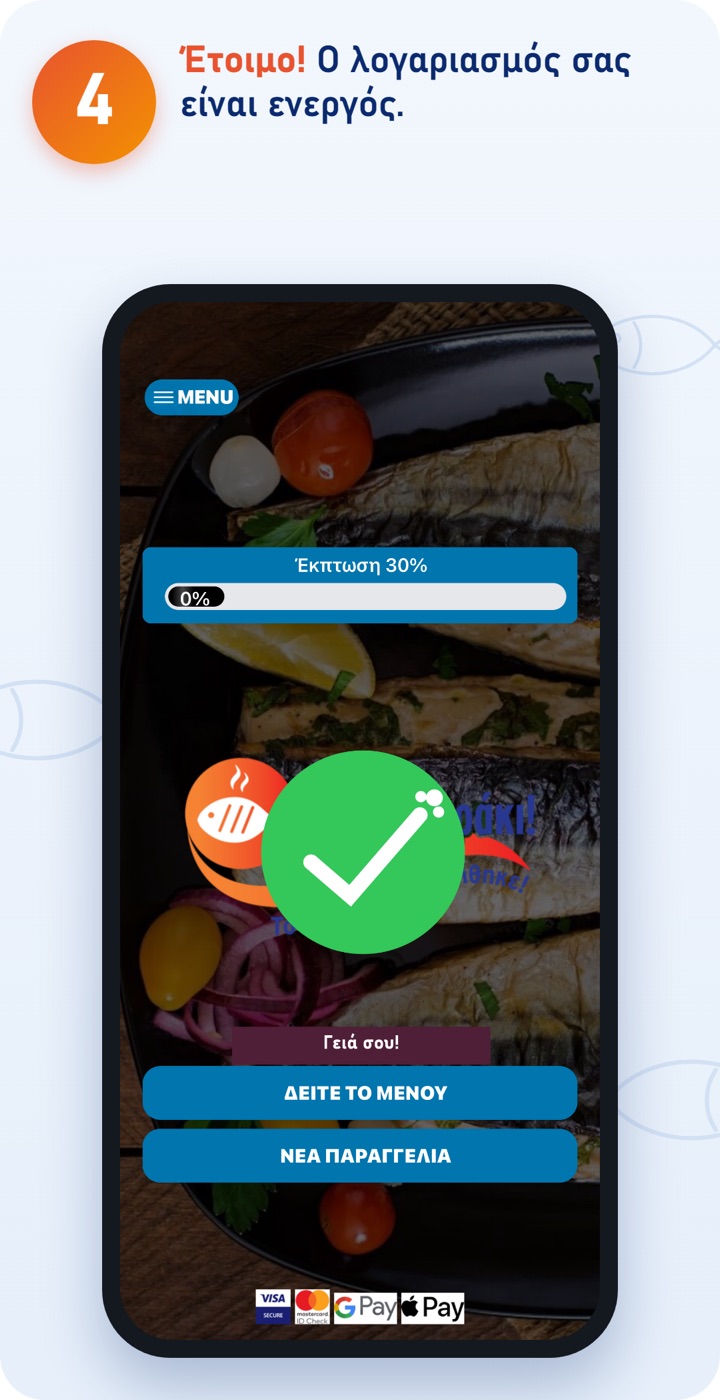
When you sign up you get 3 discount coupons for your first orders as a gift. You'll find them under COUPONS.
The ΨΨΨαράκι app
Download the app and order quickly and easily. You can also order at order.psssaraki.gr.