
← All guides
Delivery
Order in the app and we bring it to your door. As members you enjoy daily offers, special offers during the year, points that turn into coupons and other surprises.
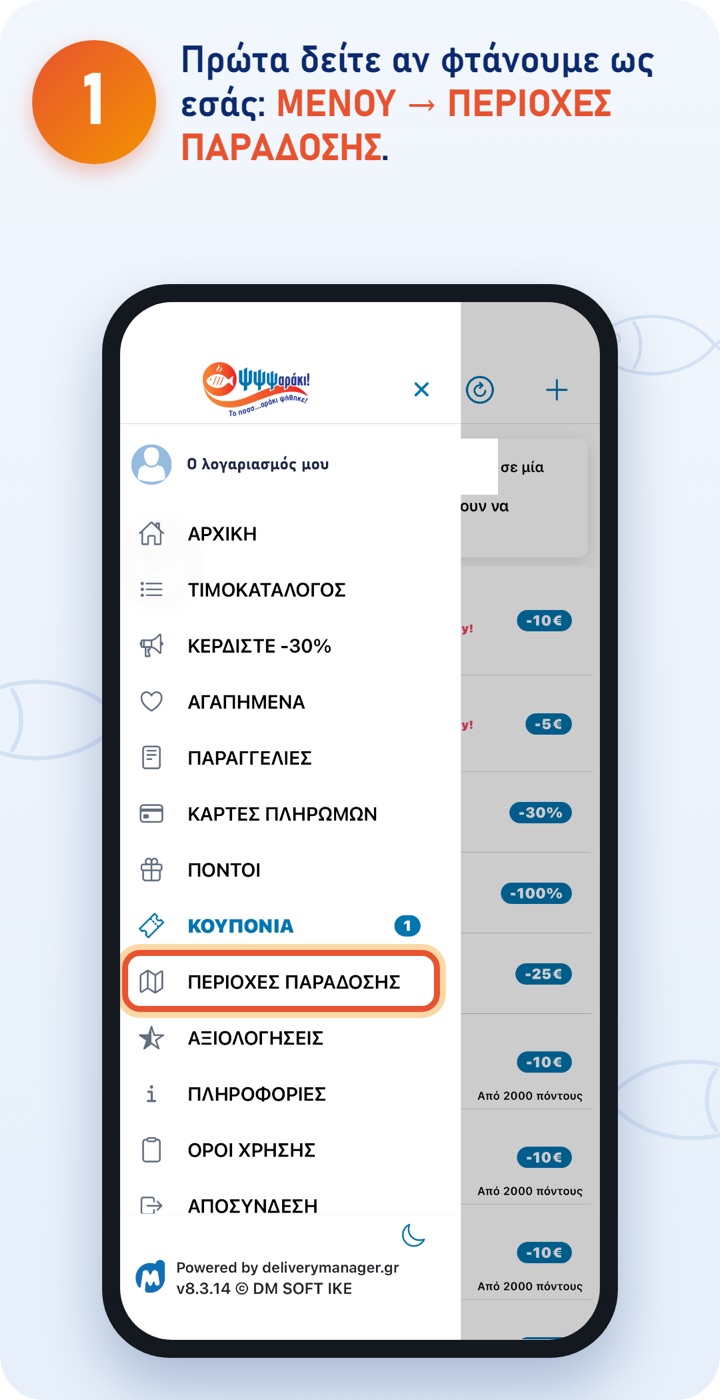
The MENU opens from the button at the top left of the home screen. 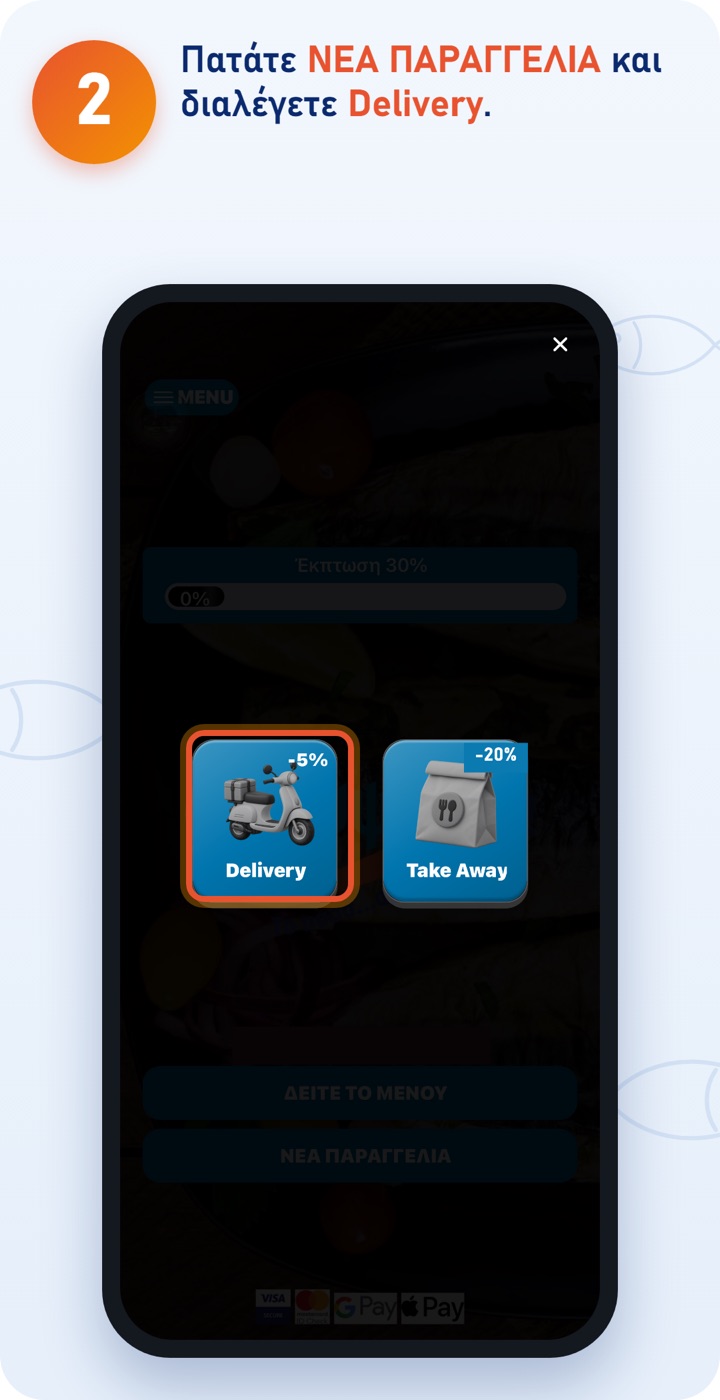
In the menu, under «Offers», you'll find the offers of the day. 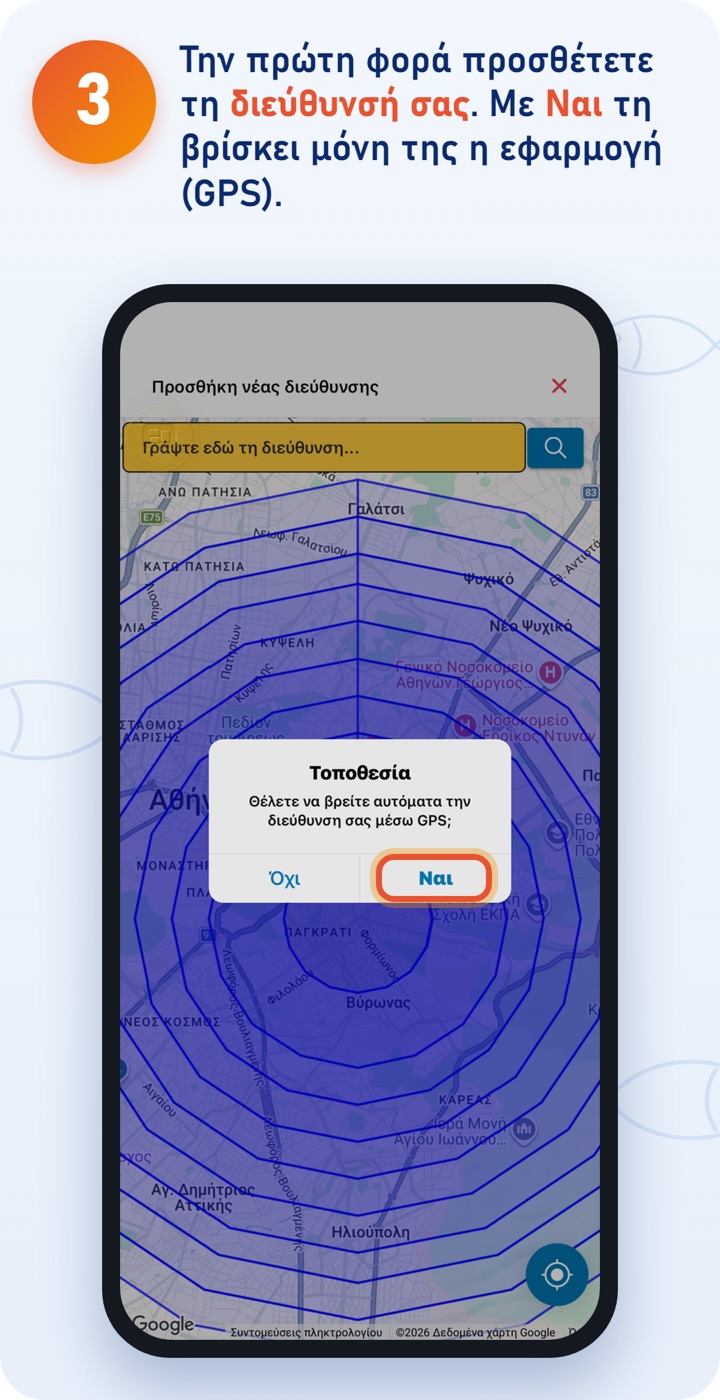
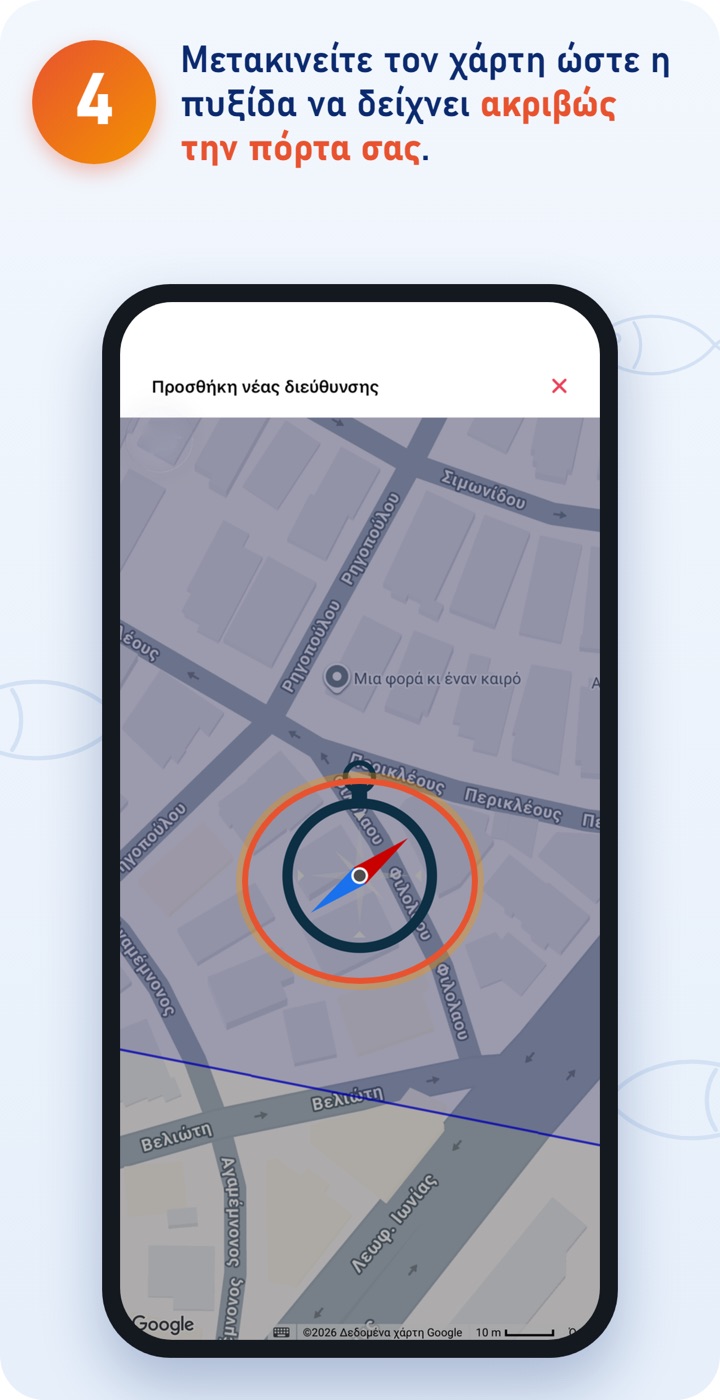
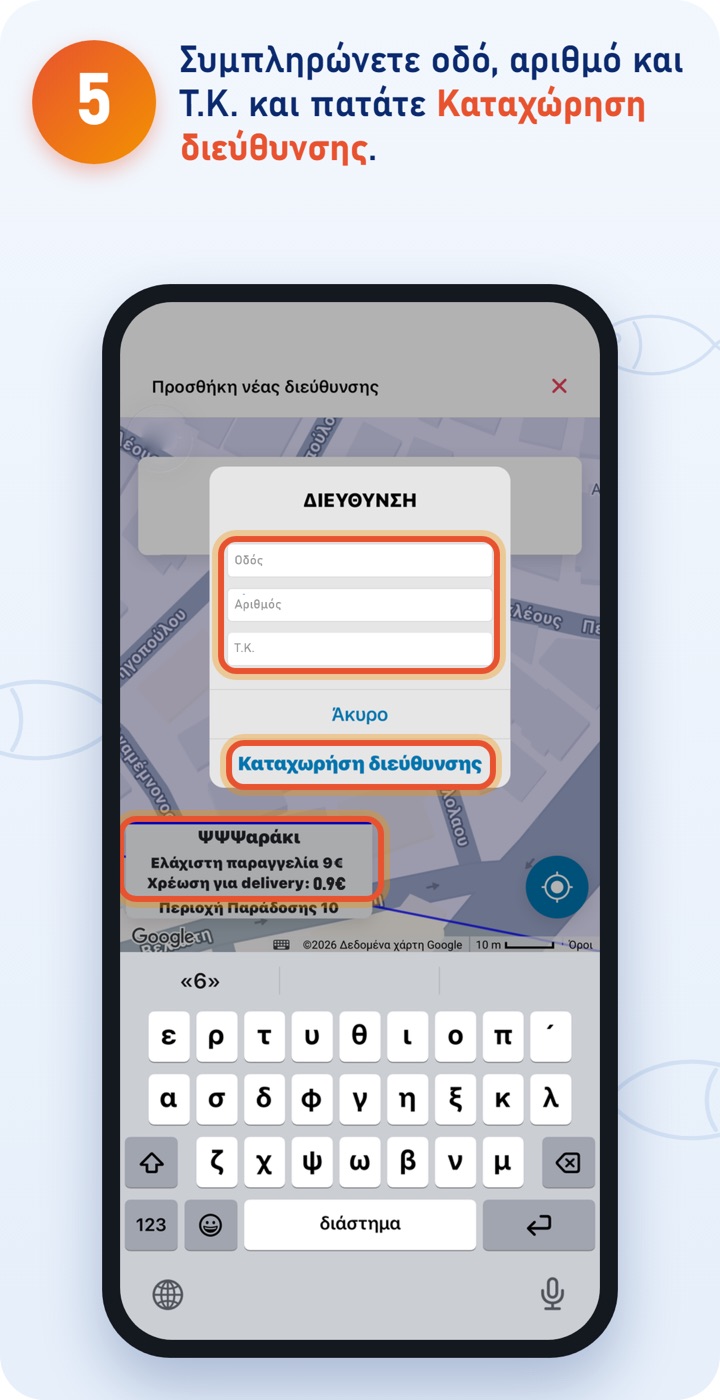
Once you enter the address, the app shows you the minimum order and the delivery charge for your area. 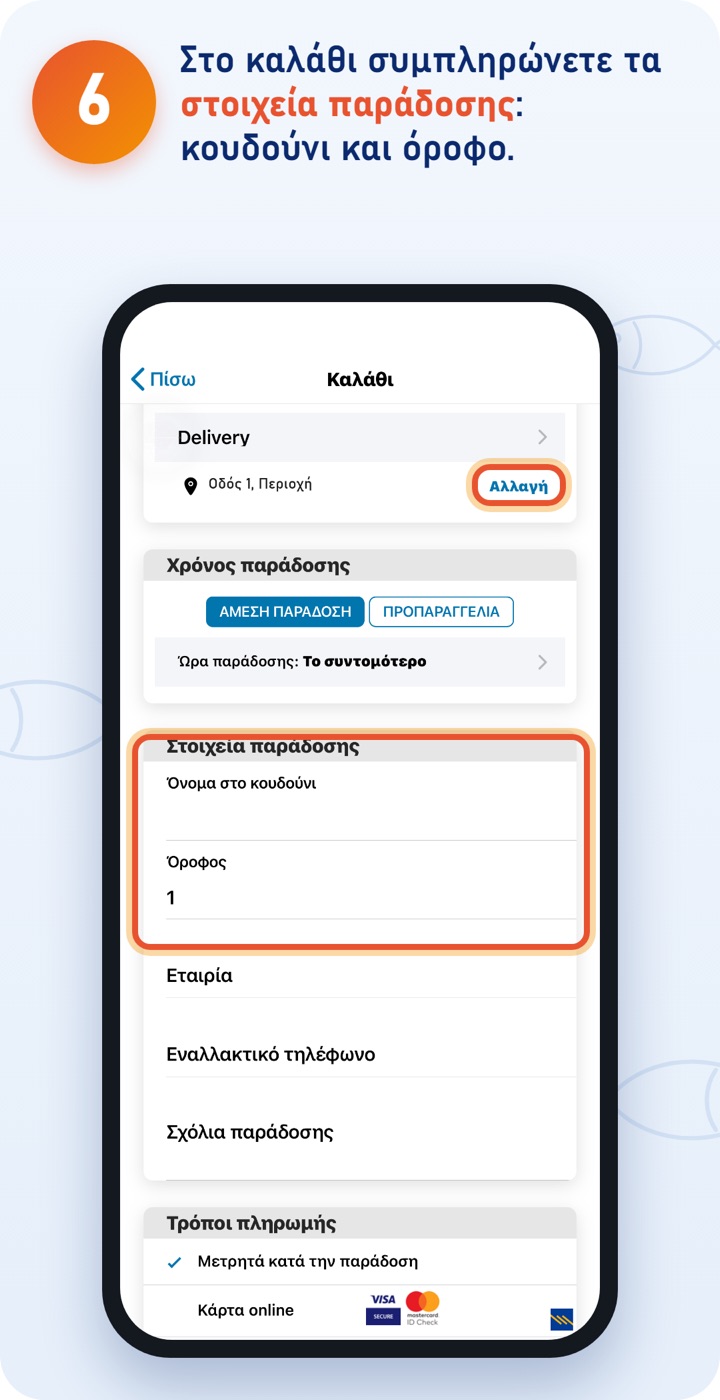
That way the rider finds you quickly. With «Change» you choose another saved address. Under Delivery time choose Immediate delivery or Pre-order. 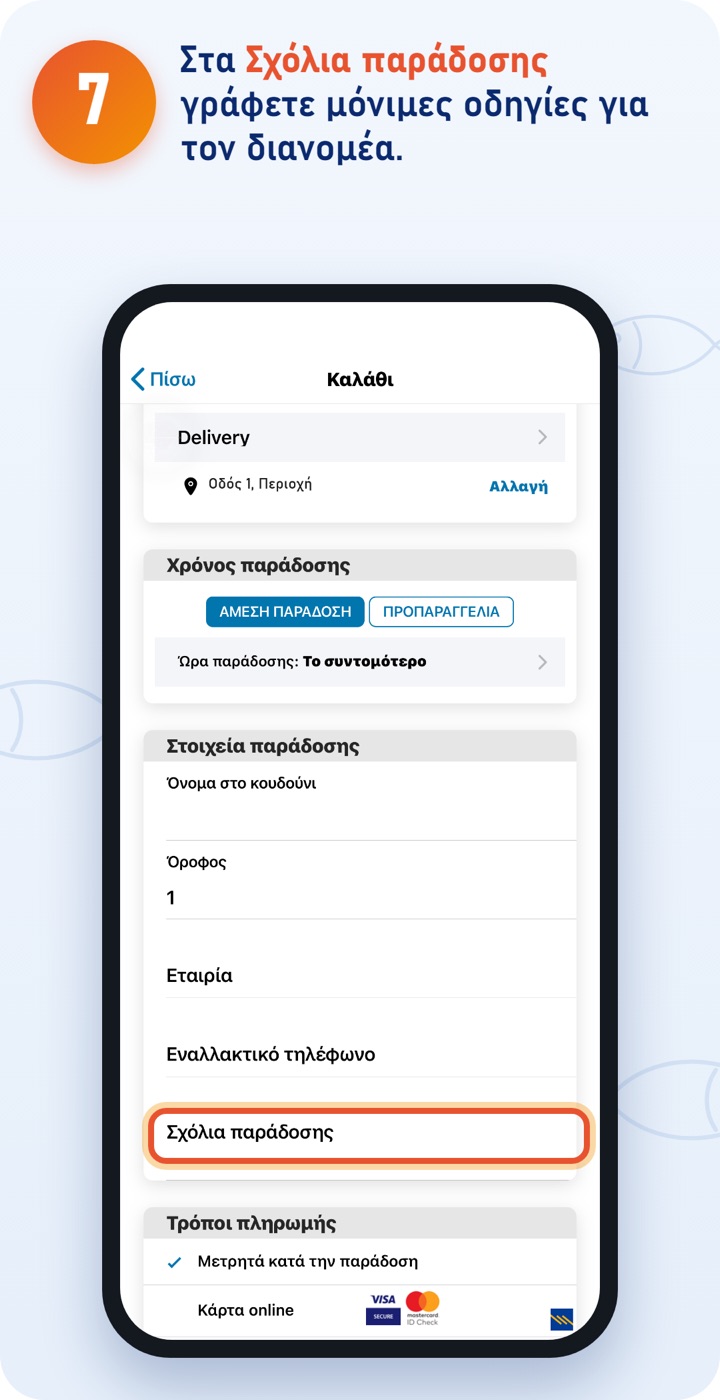
For example: «left lift», «building B» or «don't ring the bell, call my mobile». Then choose a payment method and tap COMPLETE ORDER (see «Payment»).
The ΨΨΨαράκι app
Download the app and order quickly and easily. You can also order at order.psssaraki.gr.